START WITH YOUR QUESTION
Party Rap Video: A Personal Duo for Your Party | RapVideo
Turn two portraits into a party rap video with original lyrics, warm lights and a shared groove. Watch the sample and create a personal clip on this page.
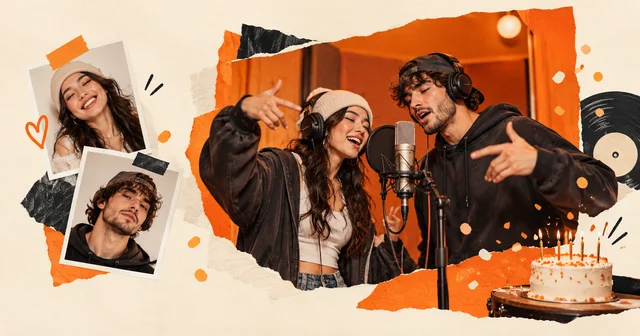
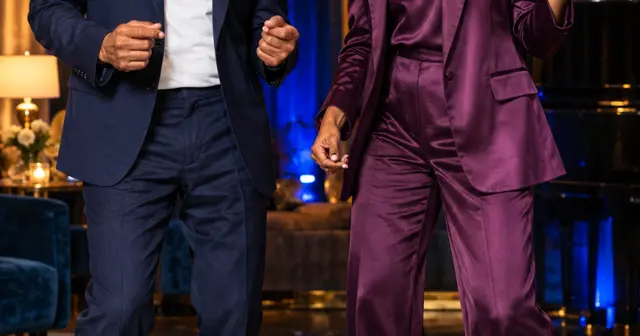
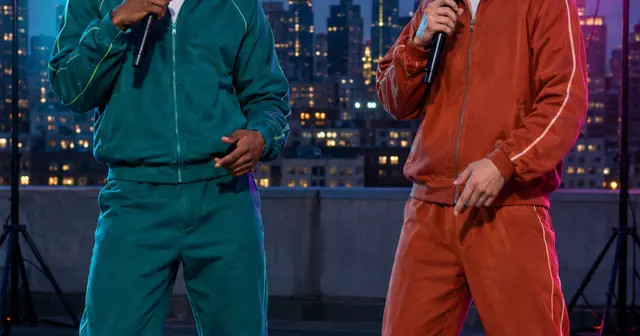
A party rap video is a short personal performance for a birthday, reunion or friends’ group chat. This scene uses a chandelier, warm light and blue accents, with two performers sharing the spotlight. Start with the $4.90, 12-second 480p option, or select 720p for $9.90. The generator is on this page, so you can watch the example and make your own draft without switching tools.
A party scene with your own words
Party-room rap clips have also appeared in the Burning Bridges AI format. That vendor describes a reference-video effect with a cup, fixed gestures and the original song. Our preset takes the celebration-room idea and creates a fresh performance from your photos. It does not include that song or imitate its artist.
The sample uses two fictional older adults to show that a rap duet need not look like a conventional music-video casting. Age is not a style setting: the uploaded photos determine the adults who appear. You can use your own portraits or photos of adults who have agreed to participate.
Start with the occasion
A detail from the actual party gives the clip a purpose. Try “our friends have met for dinner every Friday for ten years,” or “a birthday toast for someone who always chooses the music.” Pick Friends, Birthday or Team celebration, then edit the two suggested lines or use AI writing beside the lyrics box.
For a duo, the left performer takes the first line and the right performer replies. Leave enough space for the punchline to land. Two brief sentences are easier to follow than a list of names. Check spelling and keep important names short; pronunciation and exact wording are not guaranteed.
Pick photos, not a crowd shot
Upload one individual portrait per performer. A busy party photograph may have several faces, uneven flash or an arm across someone’s shoulder. Crop and choose a clearer source before starting. The people do not need to share the same background; the selected scene creates the room.
This preset supports Solo or Duo. It does not add an entire guest list or let you direct each object in the room. The chandelier and colored lights set the mood while faces and gestures remain the focus. Use the photo guide if you are choosing between several pictures.
Make it useful at the party
Play the result with sound before sending it to the group or showing it on a screen. Listen for unclear names and watch both faces throughout the movement. If you plan to show it at a particular time, generate it in advance and download the file. An order still processing is not a reliable party cue.
A short caption can explain the occasion when you share the video. Keep the private order link to yourself; share the downloaded clip or this public scene page. For a dedicated greeting, the birthday rap guide has ideas for choosing the sender and recipient.
Create here, then review the result
Use JPG, PNG or WebP photos under 10 MB and 40 megapixels; supported HEIC/HEIF photos are converted in your browser. Check the preview after selecting each file. Only upload photos you have permission to use. The photo guide covers cropping and common problems.
Choose the singing language separately from the website language. Edit the two lyric lines, confirm photo permission, enter your delivery email twice and review the one-time purchase. No account is required. Allow around 15 minutes or longer for generation; that is a planning estimate, not a deadline guarantee. The private email link lets you check progress after closing the page.
Your result is a vertical MP4 with generated vocals and music. Likeness, pronunciation, exact words and movement can vary. Another creative attempt is a separate paid video. Technical failure restores the video's allowance; a completed result you dislike does not automatically receive a cash refund. See the refund policy, or email support@rapvideo.cc without signing in.
Ready to use this setting? Return to the generator on this page. The scene and mode are preselected for a fresh draft. If a saved order is already processing, keep its status link and start a new draft before changing its settings.